Every applicant will receive a confirmation email of their submitted application. A submitted application means your applicant has paid the fee and agreed to terms of release. You should immediately see the submitted application data after submission.
If your applicant has confirmed they have paid the fee and submitted their application, and you are still not seeing their application in your account, please reach out to support immediately and provide us with 1. the applicant's name and, 2. the applicant's email address.
Please make sure you are sending the application correctly:
Q: Did you send the invitation to apply from your account? (Do not ask your leads to apply by going straight to, myintellirent.com.)
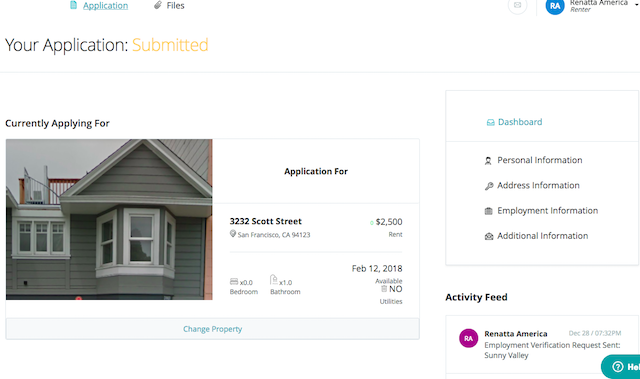
Applicants who have submitted the app can log back into their account to view all details of their application from their dashboard. This is what your applicant sees on their dashboard:
The applicant can also reach out to support to confirm their app is in the correct account or request their application be transferred to the correct account.
See other related articles,
Where do I see all the applicants I've invited to apply?
Still need help? Submit a support request here.